


 SPARK Website
How to Convert Artwork into Clean Stitch Files
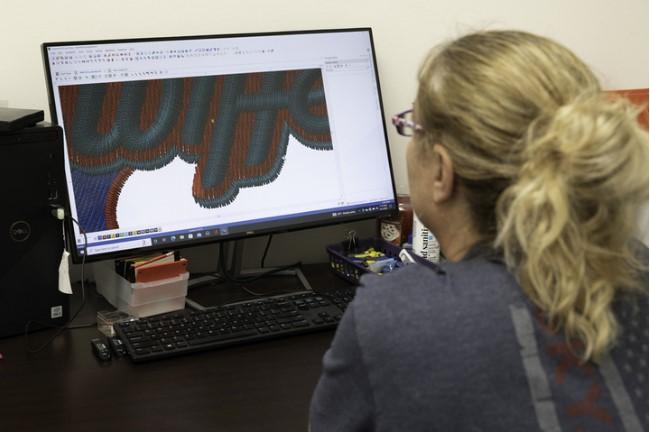
Embroidery looks easy from the outside. But behind every clean design, there is a lot of work. A good stitch file is the key. It tells the machine how to stitch step by step. If the file is not right, the design will not look good.
Many people start with a simple image. But not every image can go straight to a machine. You need to turn it into a stitch file. This process is known as Image to DST Conversion. It helps make your design ready for smooth and clean stitching.
What Is a Stitch File?
A stitch file is a digital plan. It tells the embroidery machine what to do.
What Does It Include?
-
Stitch type
-
Stitch path
-
Thread color
-
Stitch order
-
Stitch count
Each part matters. If one part is wrong, the result can fail.
Why Clean Stitch Files Matter
Clean files give better results. They help the machine run smoothly.
Better Design Look
The design looks neat and sharp.
Less Errors
There are fewer thread breaks.
Saves Time
The machine runs faster and smoother.
Step-by-Step Guide to Convert Artwork
Let’s break the process into simple steps. These steps are based on real work and daily practice.
Step 1: Start with Good Artwork
Always use a clean image.
Tips:
-
Use high quality files
-
Avoid blurry images
-
Keep design simple
Simple designs work best for embroidery.
Step 2: Clean the Design
Before digitizing, clean the artwork.
What to Fix:
-
Remove extra details
-
Smooth rough edges
-
Fix broken lines
Clean art gives clean stitch files.
Step 3: Choose the Right Size
Set the correct size before you start.
Why It Matters:
-
Size affects stitch count
-
Small details may get lost
Always plan size early.
Step 4: Pick Stitch Types
Each part of the design needs a stitch type.
Common Types:
-
Satin stitch
-
Fill stitch
-
Running stitch
Use the right stitch for the right area.
Step 5: Set Stitch Direction
Direction gives shape to the design.
Benefits:
-
Smooth finish
-
Better light effect
-
Clean look
Wrong direction can ruin the design.
Step 6: Adjust Stitch Density
Density means how close stitches are.
Keep Balance:
-
Too dense = thread breaks
-
Too light = gaps
Test and adjust for best results.
Step 7: Add Underlay
Underlay is the base layer.
Why Use It:
-
Supports top stitches
-
Keeps fabric flat
-
Improves quality
It is a small step but very important.
Tips from Real Experience
I have worked on many designs. I have seen what works best.
Keep It Simple
Too many small details do not stitch well.
Use Bold Shapes
Thin lines can break or disappear.
Test Every Design
Always run a sample before final use.
Common Problems and Fixes
Even good designs can face issues.
Thread Breaks
This happens when density is too high.
Fix:
-
Lower density
-
Check stitch path
Gaps in Design
Empty spaces can appear.
Fix:
-
Increase density
-
Change stitch angle
Fabric Puckering
Fabric may wrinkle.
Fix:
-
Add proper underlay
-
Reduce stitch count
Best File Formats for Stitch Files
Different machines need different formats.
Popular Formats:
-
DST
-
PES
-
EXP
-
JEF
Always choose the correct format for your machine.
Tools Used for Digitizing
Experts use special software.
Common Tools:
-
Wilcom
-
Hatch
-
Pulse
These tools help create clean and smooth stitch files.
Why Experience Matters
Digitizing is not just a tool job. It needs skill.
What Experts Know:
-
Fabric types
-
Thread behavior
-
Machine limits
A trusted name like Absolute Digitizing has real hands-on experience. They work on many designs every day and understand what works best.
Working with Different Fabrics
Each fabric is different. You must adjust your design.
Cotton
Cotton is easy to work with.
Tips:
-
Use medium density
-
Basic underlay works well
Polyester
Polyester can stretch.
Tips:
-
Use strong underlay
-
Adjust stitch settings
Caps and Hats
Caps are tricky.
Tips:
-
Stitch from center out
-
Keep design simple
Quality Check Before Final Use
Never skip testing.
What to Check:
-
Stitch flow
-
Thread breaks
-
Final look
Run a test on your machine. This saves time and cost.
Benefits of Professional Help
Doing it yourself is good. But expert help can give better results.
Better Quality
Experts create clean and sharp files.
Saves Time
No need to fix errors again and again.
Consistent Output
Every design looks the same each time.
Services like Absolute Digitizing focus on quality and detail. They make sure your design runs smoothly on all machines.
How to Choose the Right Service
Pick a service that you can trust.
Check Their Work
Look at past designs.
Read Reviews
Client feedback shows real value.
Ask for Samples
Samples show true quality.
Mistakes to Avoid
Avoid these common errors.
Using Low-Quality Images
Bad input gives bad output.
Ignoring Fabric Type
Each fabric needs a different setup.
Skipping Test Runs
Testing helps avoid big problems.
Final Thoughts
Converting artwork into clean stitch files takes skill and care. It is not just about software. It is about knowing how stitches work on fabric.
Start with a good design. Keep it clean and simple. Use the right tools and settings. Always test your file before final use.
If you want the best results, expert help is a smart choice. A reliable service like Absolute Digitizing can make the process easy for you. They have the skills and tools to deliver clean and perfect stitch files.
With the right steps, your designs will look sharp, smooth, and professional on every fabric.

 English