


 SPARK Website
Embroidery File Formats vs Vector Files: Key Differences Explained
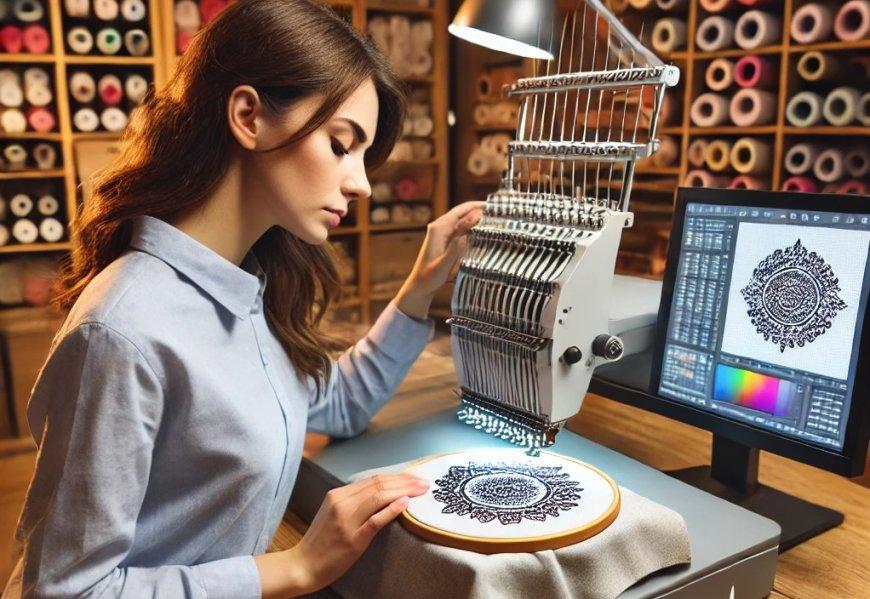
You have a beautiful logo. It looks crisp and clean on your computer screen. You send it to your digitizer, and they ask if you have a vector file. You have no idea what that means. Or you receive a design as a DST file, and your graphic designer cannot open it. The confusion between vector files and embroidery files is common. Understanding the difference between Embroidery File Formats and vector files helps you work more effectively with designers, digitizers, and production teams.
Vector files and embroidery files serve completely different purposes. One is for creating and editing artwork. The other is for instructing embroidery machines. Both are essential in the embroidery workflow, but they are not interchangeable.
Let me walk you through the key differences and why each matters.
What Are Vector Files?
Vector files are graphics files that use mathematical paths to represent images. Instead of storing pixels, they store points, lines, and curves defined by formulas.
Common vector formats: AI (Adobe Illustrator), EPS (Encapsulated PostScript), SVG (Scalable Vector Graphics), PDF (Portable Document Format), CDR (CorelDRAW)
How they work: A circle in a vector file is not a bunch of pixels arranged in a circle shape. It is a formula that says "draw a circle with this radius at this location." Because vectors use math instead of pixels, they scale infinitely without losing quality.
What vectors are used for:
-
Creating logos and artwork
-
Graphic design and illustration
-
Preparing artwork for digitizing
-
Screen printing separations
-
Large format printing
Key characteristics:
-
Scalable to any size without pixelation
-
Editable in programs like Adobe Illustrator, CorelDRAW, Inkscape
-
Small file sizes
-
Can contain text, shapes, colors, and effects
-
No stitch information
What Are Embroidery File Formats?
Embroidery files contain stitch-by-stitch instructions for embroidery machines. They tell the machine where to place every needle penetration, what direction stitches should go, and when to change colors.
Common embroidery formats: DST (Tajima, universal), PES (Brother, Babylock), EXP (Melco), JEF (Janome), VP3/VP4 (Pfaff, Viking), XXX (Singer)
How they work: Embroidery files contain commands like "move needle to coordinates X,Y, stitch, move, trim thread, change color." They are compiled instructions that machines execute.
What embroidery files are used for:
-
Loading onto embroidery machines
-
Stitching designs on garments
-
Production runs
-
Sharing with contract decorators
Key characteristics:
-
Machine-readable instructions
-
Contain stitch data, color changes, trims
-
Cannot be edited easily (without original master)
-
Typically not viewable in graphic design software
-
Cannot be scaled without losing quality
Key Difference 1: Purpose
This is the most fundamental difference.
Vector files are for creating and editing artwork. They are design files. You open them in graphic design software to create, modify, and refine your logo.
Embroidery files are for production. They are machine files. You load them onto your embroidery machine to stitch designs. They are not meant for editing.
Why this matters: You cannot edit a DST file like you would edit an AI file. If you need to change your logo, go back to the vector master, make changes, then digitize again.
Key Difference 2: Scalability
Vector files scale infinitely. You can make a vector logo the size of a postage stamp or the side of a building, and it stays perfectly crisp. This is because vectors use mathematical formulas, not pixels.
Embroidery files do not scale well. Scaling a DST file changes stitch density. A design digitized for 4 inches will have incorrect density if scaled to 6 inches. Stitches stretch, creating gaps. Text becomes distorted.
Why this matters: Always digitize at your final stitch size. Create separate embroidery files for left chest (3-4 inches), caps (2.2 inches tall), and jacket backs (8-12 inches). Never scale embroidery files.
Key Difference 3: Editability
Vector files are fully editable. You can change colors, resize elements, modify text, adjust shapes, and add effects. This is why designers use vector formats for master artwork.
Embroidery files are not editable. DST and other machine formats contain only stitch data, not the design intelligence. You cannot change a satin stitch to a fill, adjust density, or resize easily. That is why you keep master files.
Why this matters: Save your editable master files. For digitizing, keep the working file in the software's native format (EMB for Wilcom, .HATCH for Hatch, PXF for Pulse). Only export DST or PES for production.
Key Difference 4: Content
Vector files contain:
-
Paths and shapes
-
Colors and gradients
-
Text (live or outlined)
-
Layers and groups
-
Effects and filters
-
Design metadata
Embroidery files contain:
-
Stitch coordinates
-
Color change commands
-
Trim instructions
-
Jump moves
-
Stitch counts
-
Basic design dimensions
Why this matters: An embroidery file cannot store the creative decisions behind the design. That information lives in the master file.
Key Difference 5: Software Compatibility
Vector files open in graphic design software:
-
Adobe Illustrator
-
CorelDRAW
-
Inkscape (free)
-
Affinity Designer
-
Most design tools
Embroidery files open in embroidery software:
-
Wilcom Embroidery Studio
-
Hatch Embroidery
-
Pulse/Tajima DG/ML
-
Embrilliance
-
SewArt
-
Embird
Why this matters: You cannot open a DST file in Illustrator and expect to edit it. Conversely, you cannot load an AI file onto your embroidery machine. Each requires specialized software.
Key Difference 6: Information Storage
Vector files store object-based information. Each element exists separately with its own properties. This allows selective editing and preserves design intelligence.
Embroidery files store flattened stitch data. All the design intelligence is lost. The file only knows where stitches go, not that this group of stitches is text and that group is a background fill.
Why this matters: Master files (vector and embroidery working files) are valuable assets. They preserve your ability to adapt designs for new applications.
The Workflow: How They Work Together
Understanding how vector and embroidery files work together clarifies their roles.
Step 1: Create Vector Artwork
Design your logo in Adobe Illustrator or another vector program. This is your master artwork. Save it as AI, EPS, or SVG.
Step 2: Prepare for Digitizing
Clean up your vector artwork. Convert text to outlines. Simplify gradients. Reduce colors. Ensure all paths are clean.
Step 3: Digitize
Send your vector artwork to a digitizer, or use digitizing software to convert it to embroidery. The digitizer creates stitch data from the vector paths.
Step 4: Save Master Embroidery File
The digitizer saves a working file in the software's native format (EMB, .HATCH, PXF). This is your editable embroidery master.
Step 5: Export Production Files
Export DST, PES, or other machine formats from the master file. These are for stitching only.
Step 6: Archive
Save both your vector artwork and your embroidery master files. You will need both for future modifications.
Common Misconceptions
Misconception: "I can convert a JPG to DST and it will be fine."
Reality: JPG is raster, not vector. Conversion requires digitizing, not just format change. The quality will be poor.
Misconception: "Vector files are the same as embroidery files."
Reality: Vector files are for design. Embroidery files are for machines. They are not interchangeable.
Misconception: "I can scale a DST file to any size."
Reality: Scaling DST changes density and ruins quality. Always digitize at final size.
Misconception: "I can edit a DST file in Illustrator."
Reality: Illustrator does not read embroidery files. You need specialized software.
Misconception: "My AI file is ready to stitch."
Reality: AI files must be digitized before they can be embroidered. They contain no stitch information.
Why Both Matter for Professional Embroidery
Vector files give you:
-
A clean, scalable master artwork
-
Ability to modify your logo
-
Source for screen printing and other applications
-
Professional asset for your brand
Embroidery files give you:
-
Production-ready stitch instructions
-
Files that run on your machines
-
Consistent results across orders
-
Efficient production
Both together give you:
-
A complete workflow from design to production
-
Flexibility to adapt your logo for different applications
-
Professional results that protect your brand
When to Use Each
Use vector files when:
-
Creating or editing your logo
-
Sending artwork to a digitizer
-
Preparing files for screen printing
-
Working with graphic designers
-
Archiving your brand assets
Use embroidery files when:
-
Loading designs onto your machine
-
Sending files to production
-
Running embroidery orders
-
Sharing files with contract decorators
Conclusion
Vector files and embroidery files serve different but complementary purposes. Vector files are for creating and editing artwork. They are scalable, editable, and contain design intelligence. Embroidery files are for production. They contain stitch instructions that machines execute.
Understanding these differences helps you work more effectively with designers, digitizers, and production teams. It helps you avoid common mistakes like trying to edit DST files in Illustrator or scaling embroidery files to the wrong size.
For professional embroidery, both are essential. Keep vector masters for your artwork. Keep embroidery master files for your digitized designs. Use the right format for the right purpose.
Your brand deserves this level of professionalism. Master the differences, and your embroidery workflow will flow smoothly from design to finished product.

 عربي
عربي