


 SPARK Website
HTML Color Codes: Complete Guide to HEX, RGB, HSL, CMYK & CSS Color Systems for Modern Web Design
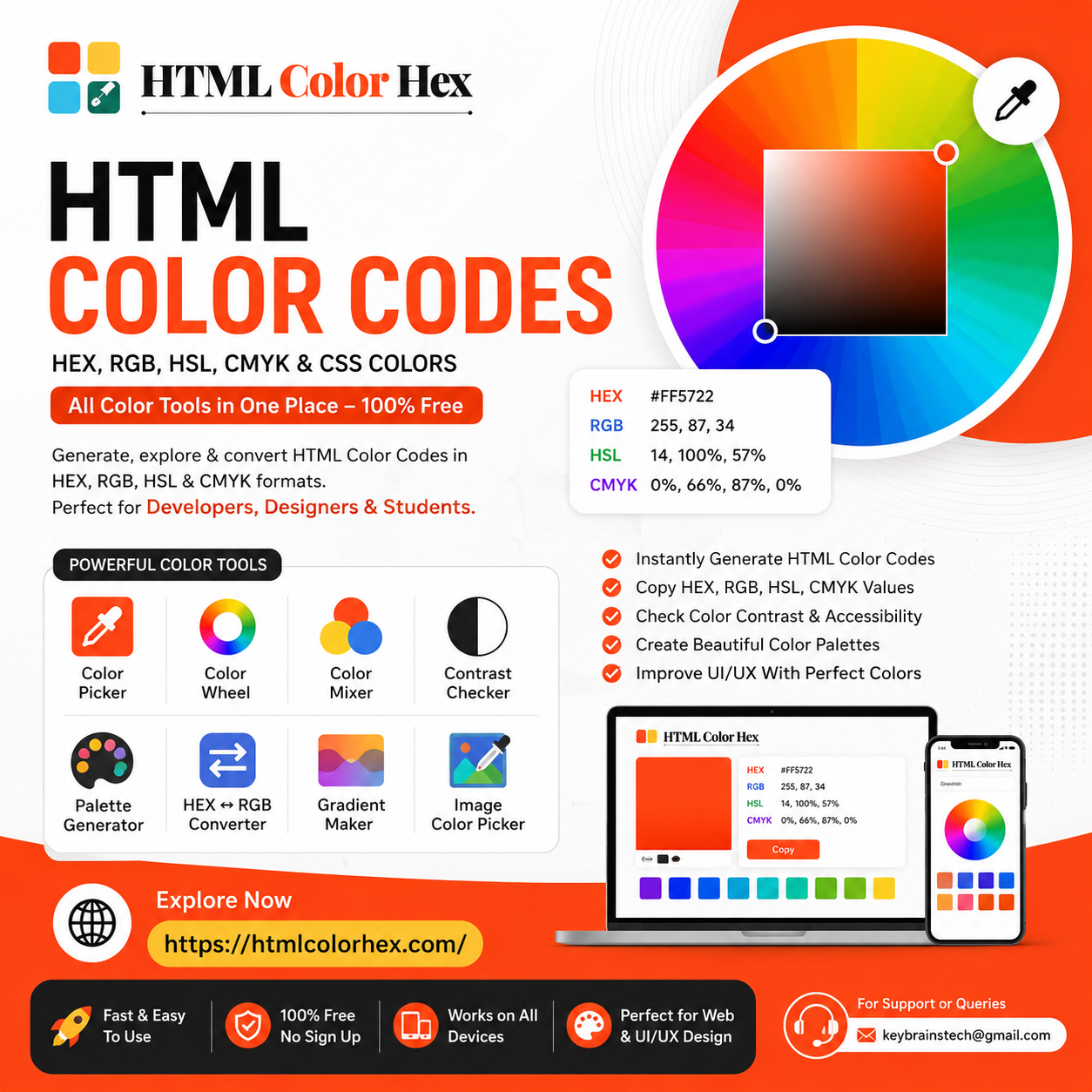
HTML Color Codes: Complete Guide to HEX, RGB, HSL & CSS Colors
Color is one of the most powerful elements in web design. It influences user experience, brand identity, readability, and accessibility. Understanding HTML Color Codes is essential for developers, UI/UX designers, and students who want to build modern, visually appealing websites and applications.
In this guide, you’ll learn how different color systems work, how to use them in CSS, and how to build professional color palettes using modern tools like HTMLColorHex
What Are HTML Color Codes?
HTML color codes are standardized values used to define colors in web design and development. These codes tell browsers exactly which color to display on screens.
Instead of writing color names like “red” or “blue,” developers use precise formats such as:
- HEX Color Codes
- RGB Color Codes
- HSL Color Values
- CMYK Color Codes (mainly for print design)
These systems ensure consistency across devices, browsers, and platforms.
Understanding HEX Color Codes
HEX Color Codes are the most commonly used color format in web development.
A HEX code looks like this:
#FF5733
How HEX Works:
- The # symbol indicates a HEX value
- First two characters = Red
- Next two characters = Green
- Last two characters = Blue
Each pair ranges from 00 to FF (0–255 in decimal).
Example:
- #FFFFFF → White
- #000000 → Black
- #3498db → Blue shade
HEX is widely used in CSS because it is compact, readable, and supported everywhere.
RGB Color Model Explained
RGB Color Codes represent colors using Red, Green, and Blue light values.
Example:
rgb(255, 87, 51)
How RGB Works:
- Red: 0–255
- Green: 0–255
- Blue: 0–255
When combined, these values create millions of color variations.
Example Colors:
- rgb(255, 0, 0) → Red
- rgb(0, 255, 0) → Green
- rgb(0, 0, 255) → Blue
RGB is widely used in digital screens because it is based on light emission.
HSL Color Values in Web Design
HSL Color Values stand for:
- Hue
- Saturation
- Lightness
Example:
hsl(200, 70%, 50%)
Breakdown:
- Hue: The color type (0–360 degrees on the color wheel)
- Saturation: Intensity of the color (0%–100%)
- Lightness: Brightness level (0%–100%)
Why HSL is Useful:
Designers prefer HSL because it is more intuitive for adjusting colors visually compared to HEX or RGB.
CMYK vs RGB (When to Use What)
CMYK Color Codes are mainly used for print design, while RGB is used for digital screens.
|
Model |
Use Case |
Description |
|
RGB |
Web, apps, screens |
Light-based color system |
|
CMYK |
Printing |
Ink-based color system |
CMYK Breakdown:
- Cyan
- Magenta
- Yellow
- Black (Key)
If you're designing a website, always use RGB or HEX. For brochures or business cards, CMYK is preferred.
How to Use HTML Color Codes in CSS
Using color codes in CSS is simple and essential for styling web pages.
Example using HEX:
h1 {
color: #3498db;
}
Example using RGB:
p {
color: rgb(52, 152, 219);
}
Example using HSL:
button {
background-color: hsl(210, 80%, 50%);
}
These formats give developers full control over UI design and branding.
Best Free Color Picker Tools for Designers
Choosing the right color manually can be difficult. That’s where online tools become essential.
A powerful platform like HTMLColorHex.com helps designers and developers easily generate, convert, and manage color codes.
It offers:
- Instant color code generation
- HEX, RGB, HSL, and CMYK conversion
- Web-safe color exploration
- UI-friendly interface for quick selection
This makes it one of the most practical Color Picker Tools for modern web development workflows.
How to Build a Modern Color Palette
A well-designed Web Color Palette improves branding and user experience.
Steps to Build a Palette:
- Choose a primary brand color
- Add complementary secondary colors
- Include neutral shades (white, gray, black)
- Ensure readability and contrast
- Test across devices
Pro Tip:
Limit your palette to 4–6 main colors to maintain consistency in UI design.
Using a Color Wheel Tool helps identify complementary and analogous colors quickly.
Importance of Color Contrast in Web Accessibility
Color contrast is critical for readability and accessibility.
A Contrast Checker Tool ensures text is readable against background colors.
Why it matters:
- Improves user experience
- Supports visually impaired users
- Meets WCAG accessibility standards
For example:
- Dark text on a light background = high readability
- Low contrast combinations can make content unreadable
Always test contrast before finalizing your UI design.
Trending Colors in Web Design 2026
Modern UI design trends are shifting toward:
- Soft pastel gradients
- Neon highlights on dark mode
- Glassmorphism-style transparent colors
- Earthy natural tones
- Minimal monochrome palettes
Designers are also focusing heavily on accessibility-friendly color systems and adaptive themes for light/dark mode interfaces.
Why Designers Use Online Color Tools
Modern designers rely on online tools because they:
- Save time in workflow
- Ensure accurate color conversion
- Improve collaboration between teams
- Help maintain design consistency
- Support accessibility testing
HTMLColorHex.com Color Tools Overview
HTMLColorHex.com provides a complete set of professional tools for developers and designers:
- Color Picker Tool – Select colors visually
- Color Wheel Tool – Find harmonious combinations
- Color Mixer – Blend multiple colors
- Contrast Checker Tool – Test accessibility compliance
- HEX ↔ RGB Converter – Convert formats instantly
- Gradient Maker – Create smooth transitions
- Image Color Picker – Extract colors from images
These tools make it easier to build modern UI designs, design systems, and brand identities.
Frequently Asked Questions (FAQs)
1. What are HTML color codes?
HTML color codes are values used to define colors in web development using formats like HEX, RGB, and HSL.
2. What is a HEX color code?
A HEX color code is a six-digit code representing red, green, and blue values in hexadecimal format.
3. How do RGB and HSL differ?
RGB uses light intensity values, while HSL defines colors based on hue, saturation, and lightness.
4. How do I pick the best color for my website?
Use a Color Picker Tool and test combinations using contrast checkers to ensure readability and branding consistency.
5. What is a color picker tool?
A color picker tool allows users to visually select and generate color codes in different formats.
6. How do I check color contrast?
You can use a Contrast Checker Tool to ensure your text meets accessibility standards.
7. Is HTMLColorHex.com free to use?
Yes, HTMLColorHex.com is a free platform for generating and converting color codes.
Understanding HTML Color Codes is essential for creating visually appealing, accessible, and professional websites. Whether you're working with HEX, RGB, or HSL, mastering these systems will improve your design workflow significantly.
To explore colors, generate palettes, and test accessibility easily, start using https://htmlcolorhex.com/ today.

 English