


 SPARK Website
Top Benefits of Using Screenshot Monitoring Software for Remote Teams
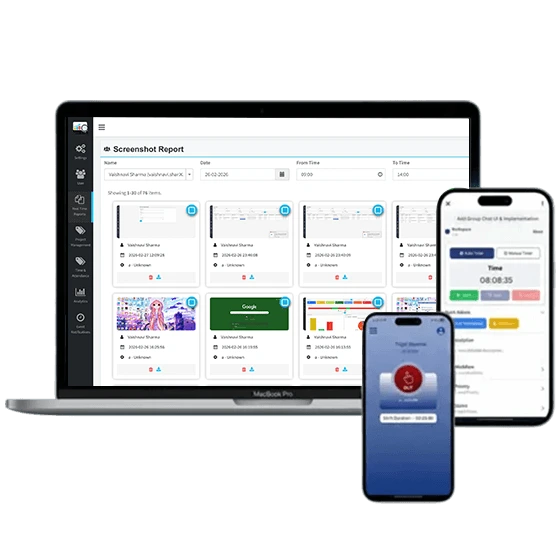
Remote work has transformed the way businesses operate. While remote teams offer flexibility and access to a wider talent pool, managing productivity and accountability can be challenging. Employers often struggle to understand how work hours are being utilized and whether projects are progressing efficiently. This is where screenshot monitoring software becomes valuable.Screenshot monitoring software captures screenshots of employees' work activities at regular intervals, providing managers with better visibility into daily operations.Let's explore the top benefits of using screenshot monitoring software for remote teams.
1. Improves Employee Productivity
One of the primary benefits of screenshot monitoring software is increased productivity. When employees know their work activities are being recorded periodically, they tend to stay focused on their assigned tasks.
Managers can identify productive work patterns and detect activities that may be consuming valuable work hours. This visibility helps teams reduce distractions and maintain a consistent workflow. As a result, organizations can achieve better outcomes while encouraging employees to manage their time more effectively.
2. Enhances Transparency and Trust
Remote work environments often lack the direct supervision available in traditional offices. Screenshot monitoring software bridges this gap by creating transparency between employees and managers.
Employees can showcase their efforts through documented work records, while employers gain confidence that tasks are being completed as expected. This transparency promotes trust and reduces misunderstandings regarding workload and performance.
3. Supports Accurate Time Tracking
Many screenshot monitoring solutions integrate seamlessly with Time Tracking Software. This combination enables businesses to accurately record the time spent on projects, tasks, and client work.
Accurate time tracking is especially important for organizations that bill clients based on hours worked. Screenshots provide supporting evidence for logged hours, ensuring accountability and minimizing disputes. Employees also benefit from fair compensation based on actual work completed.
4. Simplifies Performance Evaluation
Evaluating remote employee performance can be difficult without clear visibility into daily activities. Screenshot monitoring software provides objective data that managers can use during performance reviews.
Instead of relying solely on self-reported updates, supervisors can assess work quality, consistency, and productivity through recorded activity. This leads to more accurate evaluations and helps identify employees who may require additional support or training.
5. Reduces Time Theft and Idle Hours
Time theft and excessive idle time can negatively impact business performance. Screenshot monitoring software helps organizations identify periods of inactivity and understand where productivity losses occur.
Managers can review captured screenshots to determine whether employees are spending excessive time on non-work-related activities. By addressing these issues proactively, businesses can improve efficiency and ensure work hours are utilized effectively.
6. Provides Better Project Visibility
Project managers need real-time insights to keep projects on schedule. Screenshot monitoring software offers greater visibility into task progress and employee activities.
By monitoring workflows and reviewing work records, managers can identify bottlenecks before they become serious problems. Better project visibility allows teams to meet deadlines more consistently and improve collaboration across departments.
7. Encourages Accountability
Accountability plays a significant role in the success of remote teams. Screenshot monitoring software creates a sense of responsibility by maintaining a record of completed work.
Employees are more likely to stay committed to their schedules and deadlines when they know their progress is visible. This increased accountability helps organizations build a stronger and more disciplined work culture.
8. Helps Optimize Workflows
Data collected through screenshot monitoring can reveal valuable insights into business processes. Organizations can analyze work patterns to identify inefficiencies, repetitive tasks, and workflow bottlenecks.
These insights enable managers to improve processes, allocate resources more effectively, and introduce automation where needed. Optimized workflows contribute to higher productivity and better overall business performance.
9. Strengthens Client Relationships
For agencies, consultants, and service providers, maintaining client trust is essential. Screenshot monitoring software helps businesses provide proof of work completed on client projects.
Sharing transparent work records can increase client confidence and demonstrate accountability. Clients appreciate knowing that project hours are accurately tracked and supported by visual evidence of progress.
10. Supports Long-Term Remote Workforce Growth
As businesses expand their remote workforce, managing larger teams becomes increasingly complex. Screenshot monitoring software provides the visibility needed to oversee distributed employees efficiently.
Automated reporting, activity tracking, and productivity insights help organizations scale operations without sacrificing performance. Businesses can maintain consistent standards while supporting growth and improving operational efficiency.
Conclusion
Screenshot monitoring software has become an essential solution for businesses managing remote teams. It improves transparency, boosts accountability, supports accurate work tracking, and helps organizations optimize their daily operations. Organizations looking to improve remote workforce management can explore DeskTrack, a comprehensive solution designed to enhance Employee Productivity Tracking while providing detailed monitoring and reporting features.

 English