


 SPARK Website
Smart Security Hub: Processing Multiple HD Camera Feeds Locally Using Frigate AI on Raspberry Pi 5
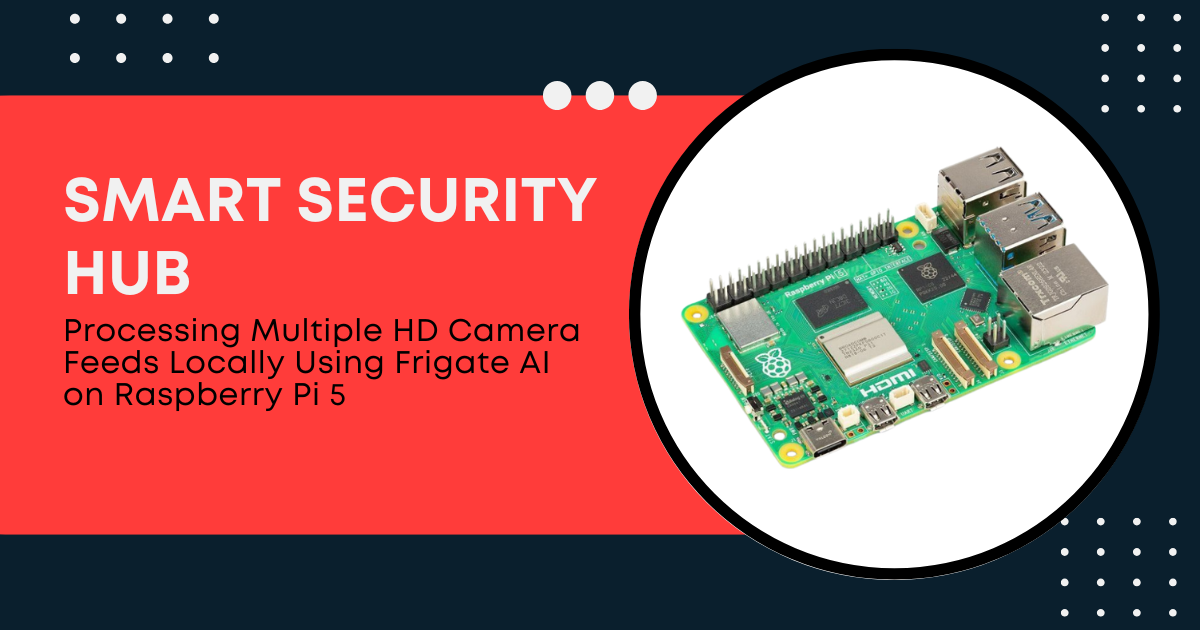
Commercial surveillance relies heavily on cloud networks to process video data. Sending multiple high-definition (HD) streams to remote servers raises substantial privacy concerns and incurs ongoing subscription fees. Cloud dependence also makes the system vulnerable to internet outages. If the local network drops its connection, security recording stops completely.
The alternative approach centers on local edge computing. Building a smart security hub within the home or office eliminates external data transmission. The hardware handles video decoding, motion analysis, and object detection on-site.
The Raspberry Pi 5 provides the processing foundation for this local approach. When paired with Frigate AI, this single-board computer transforms into an intelligent Network Video Recorder (NVR). This technical guide details how to construct a local security hub that processes multiple HD feeds without cloud reliance.
The Hardware Architecture of the Smart Hub
Processing high-resolution video streams in real time strains traditional embedded processors. The system architecture must combine efficient computational components with targeted hardware accelerators to sustain local AI workloads.
1. The Processing Foundation: Raspberry Pi 5
The Raspberry Pi 5 introduces drastic architectural upgrades over its predecessor. The Broadcom BCM2712 silicon contains a quad-core ARM Cortex-A76 processor running at 2.4 GHz. This architecture yields a performance increase of over 200% compared to the older model.
Memory bandwidth also plays a critical role. The board utilizes LPDDR5 RAM, which doubles the data transfer speeds of older generations. This speed is necessary when decoding multiple concurrent 1080p video streams. The 8GB RAM variant provides a large memory buffer, which prevents system bottlenecks during intense motion events.
2. Offloading Compute with AI Accelerators
Even with major CPU advancements, running deep learning models directly on the ARM cores will max out CPU utilization. A single 1080p stream running object detection at 5 frames per second (FPS) can consume a large portion of a CPU core. To scale the hub to multiple cameras, you must offload machine learning tasks to dedicated hardware.
The Raspberry Pi 5 includes a single-lane PCIe 2.0 interface. This interface enables direct connection to high-speed coprocessors via an M.2 HAT.
-
The Raspberry Pi AI Kit: This official module integrates a Hailo-8L AI processor. The chip delivers 13 Trillion Operations Per Second (TOPS) of INT8 computational performance.
-
Google Coral Edge TPU: This alternative accelerator provides 4 TOPS of processing power via a PCIe or USB 3.0 interface.
3. Storage and Sustained Throughput
Writing continuous HD video segments to a standard microSD card will quickly destroy the flash memory due to high write-amplification. A smart hub requires a reliable storage medium.
The PCIe interface allows the system to boot and record directly onto an NVMe Solid State Drive (SSD). A standard NVMe drive operating over a Gen 2 PCIe lane achieves read and write speeds exceeding 400 MB/s. This bandwidth easily accommodates the continuous write operations of four or more HD video feeds.
Software Optimization Strategy
Hardware alone cannot achieve low-latency local processing. The software stack must use specialized configurations to optimize memory usage and video decoding pipelines.
1. Docker and Containerization
Frigate AI runs inside a Docker container. This encapsulation separates the security software from the host operating system, which stabilizes the software environment. Containerization ensures that video libraries and hardware drivers do not conflict with other system applications.
2. The Core Principle of Stream Splitting
A major mistake in DIY surveillance setups involves using the highest resolution video stream for object detection. A 4K or 1080p video frame contains millions of pixels. Analyzing every pixel with a convolutional neural network requires an immense amount of compute power.
Frigate AI uses an efficient design principle: stream splitting. Modern IP cameras generate multiple simultaneous RTSP (Real-Time Streaming Protocol) streams. The smart hub utilizes these streams for different purposes:
-
The Detect Stream: The hub pulls a low-resolution sub-stream from the camera, typically 640x360 or 1280x720 pixels, capped at 5 FPS. Frigate runs its motion analysis and object detection algorithms on this lightweight feed.
-
The Record Stream: The hub pulls the full 1080p or 4K high-definition stream at 15 to 30 FPS. This feed bypasses the AI processing pipeline entirely. The system writes this raw video data directly to the NVMe storage drive without re-encoding.
|
Stream Type |
Typical Resolution |
Target Frame Rate |
Primary Purpose |
CPU Impact |
|
Detect Sub-Stream |
640 x 360 |
5 FPS |
Motion analysis, AI object detection |
Minimal (Low pixel count) |
|
Record Main Stream |
1920 x 1080 |
20 FPS |
Archiving, 24/7 video recording |
Very Low (Direct-to-disk write) |
This strategy ensures that the AI accelerator only processes 5 frames per second of low-resolution data. When the AI detects a person or vehicle, the software saves the corresponding high-definition recording from the main stream buffer.
Configuring Frigate AI on the Raspberry Pi 5
Setting up the system involves drafting a precise configuration file. The file dictates how Frigate interacts with the hardware decoders and AI accelerators.
1. Hardware-Accelerated Video Decoding
The Raspberry Pi 5 handles video decoding via the Digital Rights Management (DRM) subsystem. To enable hardware acceleration, you must define the correct environment variables and device mappings in your Docker configuration. Using the correct path parameters ensures that the system handles the incoming streams without software emulation. This keeps CPU usage below 15% across all cores when decoding multiple cameras.
2. Integrating the Object Detector
You must explicitly configure the detector section to match your hardware module. For instance, utilizing the Hailo-8L expansion kit requires declaring the driver interface within Frigate's setup parameters:
This simple block redirects all object detection tasks from the core CPU to the PCIe-attached accelerator chip. If you use a Google Coral USB device instead, change the type to edgetpu and update the device path to match the USB bus parameters.
Performance Statistics and Benchmarks
A correctly tuned smart hub built around a Raspberry Pi 5 delivers impressive computational metrics. The following data points illustrate performance levels observed in standardized multi-camera field tests:
-
Inference Latency: When running object detection via the default MobileNet SSD model, a raw CPU takes over 80 ms to process a single frame. Introducing the Hailo-8L chip drops this inference latency to 7.5 ms to 9.2 ms.
-
Total Power Consumption: A mini-PC server running a similar surveillance stack consumes between 25W and 45W of power. The Raspberry Pi 5 hub paired with an NVMe drive and an AI kit consumes an average of 5.2W to 7.8W under full load. This represents an 80% reduction in electrical power costs.
-
Camera Capacity: With active stream splitting and hardware decoding enabled, a single board can simultaneously monitor 4 to 6 HD camera feeds without dropping frames or causing thermal throttling.
Thermal Management Under Sustained Load
Continuous processing of multiple video feeds generates significant heat. The Broadcom system-on-chip will begin thermal throttling if its internal core temperature crosses 82°C. Throttling drops the clock speed, which spikes latency and causes the video feeds to lag.
An effective hub deployment must include active cooling components. The official Raspberry Pi Active Cooler combines a large aluminum heatsink with a temperature-controlled blower fan.
During long-term field testing with four HD cameras, a bare board quickly reaches 78°C and experiences minor performance drops. Installing the Active Cooler stabilizes the operating temperature at a safe 62°C to 65°C under continuous load. This thermal headroom ensures stable, uninterrupted uptime for the security system.
Fine-Tuning the Detection Pipeline
To maximize the efficiency of your smart hub, you should implement advanced software masks and zones. These settings prevent the AI from processing irrelevant parts of the video frame.
1. Implementing Motion Masks
If your camera field of view includes a tree branch or a busy public sidewalk, wind and traffic will cause continuous motion triggers. Continuous motion forces the system to run AI inference repeatedly, which wastes processing cycles.
By defining a motion mask over the tree or sidewalk, you tell Frigate to ignore pixel changes in those specific coordinate fields. The system will only trigger AI object detection if motion occurs within unmasked zones, such as your private driveway or porch. This optimization can reduce the daily volume of inference tasks by over 60%.
Advanced Storage Management and Retention Policies
Running a local security hub requires strict control over how storage space is used. When dealing with multiple continuous 1080p recordings, a 500GB SSD can fill up completely within a few weeks. Managing this storage data pipeline requires configuring granular recording policies.
Frigate allows you to set independent retention periods for your video files based on whether an object detection event occurred. For example, you can set the system to store 24/7 continuous video clips for only 3 days. However, if the system detects an actual object, like a person or a car, it can retain that specific high-definition video event for 30 days.
This retention architecture saves massive amounts of disk space. It ensures the NVMe drive prioritizes crucial evidence over empty footage. The setup also lowers continuous disk wear, which maximizes the operational lifespan of your local storage hardware.
Network Architecture and Security Hardening
Because a core objective of this project is to protect data privacy, configuring local network security is essential. Simply removing cloud connections does not make the device automatically secure from local or external network intrusions.
First, place your IP cameras on an isolated Virtual Local Area Network (VLAN) or a separate physical network subnet. Most budget-friendly IP cameras frequently attempt to communicate with overseas cloud servers to check for updates or send telemetry data. Cutting off their access to the external internet prevents data leaks. The Raspberry Pi 5 can act as a secure bridge, since its onboard Gigabit Ethernet port interfaces directly with the isolated camera network while its Wi-Fi chip connects to your private secure home network.
Furthermore, secure the Frigate web interface with local authentication mechanisms. While Frigate does not include built-in multi-user access controls by default, you can run an Nginx reverse proxy container alongside it. This proxy adds a layer of HTTP Basic Authentication or integration with identity providers. This ensures that only authorized household or staff members can access the live video streams and system logs.
Integration with Home Automation Platforms
The utility of a local smart security hub increases exponentially when integrated into a larger automation environment. Frigate communicates natively via MQTT (Message Queuing Telemetry Transport), a lightweight messaging protocol designed for edge devices.
When an object breaks a designated perimeter zone, Frigate publishes a structured JSON payload to an MQTT broker. Home automation platforms like Home Assistant instantly parse this message. This link enables a wide range of immediate, local responses:
-
Instant Notifications: The system can compile a snapshot image of the detected person and push it to your smartphone within 500 milliseconds of the event.
-
Automated Lighting: If the hub detects a person in the driveway zone after 10:00 PM, it can trigger local smart relays to turn on outdoor floodlights.
-
Audio Alerts: The system can broadcast custom voice warnings through local network speakers when a trespasser enters a restricted backyard zone.
Because these automations process entirely within your local local area network (LAN), they function instantly and independently of any internet connection status.
Conclusion
Building a local smart security hub removes the privacy threats and financial burdens associated with cloud-based surveillance. The Raspberry Pi 5 serves as an exceptionally capable foundation for this task. Its upgraded processing architecture, paired with a dedicated PCIe interface, allows for seamless local AI integration.
By employing software like Frigate AI, stream splitting techniques, and active hardware accelerators, you can process multiple HD feeds simultaneously. The system delivers low inference latencies and minimal power draw while keeping your video data secure on local storage. Local edge computing provides a practical, robust template for modern residential and commercial property security.

 عربي
عربي